Fast multiformat file compression tool with an updated interface and strong large-archive support
Fast multiformat file compression tool with an updated interface and strong large-archive support
Vote (3 votes)
Program license Trial version
Developer Tridentsw
Version 7.21.4010
Works under Windows
Vote
(3 votes)
Developer
Tridentsw
Works under
Windows
Program license
Trial version
Version
7.21.4010
Pros
- Supports a range of popular archive formats
- Small installation size
- Preserves folder structures including empty folders
- User-friendly ribbon interface
- Integrates into Windows Explorer for quick actions
Cons
- No longer actively updated for newer Windows versions
- Lacks advanced features like built-in encryption
- Trialware restrictions after evaluation period
- Interface may appear dated on modern systems
A versatile file compression utility with multiformat support for Windows.
Efficient File Compression & Extraction
PowerZip delivers a flexible approach to file compression, supporting a range of archive formats including ZIP, CAB, TAR, GZ, and more. The core functionality allows users to quickly create, extract, and manage archives, providing reliable performance for both simple and complex compression tasks. The tool is particularly useful for handling large files and entire folder structures, ensuring that all data, including empty folders, is preserved during the compression and extraction processes.
User Interface and Experience
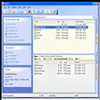
An Office 2007-style interface offers a familiar ribbon layout, easing navigation and streamlining access to common tasks. The straightforward design requires minimal learning curve for those already acquainted with Windows utilities, thanks to context menus directly integrated into Windows Explorer. This design enables users to compress or extract files using right-click options, saving time and enhancing workflow efficiency.
Compatibility and Performance
PowerZip is engineered for a wide range of Windows platforms, from Windows 98 up to Windows Vista. It has specifically addressed issues that previously caused Windows Explorer freezing on certain systems. The software handles large files adeptly and efficiently processes huge archives without noticeable lag or reliability concerns. Despite its powerful capabilities, PowerZip maintains a small installation footprint, making it viable for older systems and those with limited storage.
Key Features
- Supports multiple archive formats, including ZIP, CAB, TAR, GZ, and more
- Office 2007-style interface with ribbon and Explorer context menu integration
- Compatible with older Windows versions (98 through Vista)
- Preserves empty folders during zipping and unzipping
- Handles large files and archives with improved reliability
- Offers both compression and decompression utilities in a single package
Limitations
PowerZip is provided as a trial version, which may restrict certain functionalities after the evaluation period. While its feature set covers the basics and some advanced requirements, it may lack the cloud integration or encryption capabilities found in more recent utilities. Additionally, the last update was aimed at Vista compatibility, so users on modern Windows releases may face limitations or compatibility challenges.
Pros
- Supports a range of popular archive formats
- Small installation size
- Preserves folder structures including empty folders
- User-friendly ribbon interface
- Integrates into Windows Explorer for quick actions
Cons
- No longer actively updated for newer Windows versions
- Lacks advanced features like built-in encryption
- Trialware restrictions after evaluation period
- Interface may appear dated on modern systems